CRM software platforms have become indispensable tools for businesses of all sizes, revolutionizing how companies manage customer relationships and drive growth. From managing contacts and automating sales processes to streamlining marketing campaigns and enhancing customer service, CRM software empowers organizations to centralize customer data, gain valuable insights, and optimize their operations for maximum efficiency.
This comprehensive guide delves into the world of CRM software platforms, exploring their core functionalities, benefits, and the different types available. We’ll examine the evolution of CRM from traditional systems to modern cloud-based solutions, highlighting key features, deployment models, and industry-specific considerations. Additionally, we’ll provide insights into choosing the right platform, implementing it effectively, and understanding emerging trends that are shaping the future of CRM.
Introduction to CRM Software Platforms

CRM software platforms are essential tools for businesses of all sizes to manage customer relationships effectively. These platforms consolidate customer data, streamline communication, and automate processes, enabling organizations to optimize customer interactions and drive business growth.
Core Functionalities of CRM Software Platforms
CRM software platforms encompass a wide range of functionalities designed to enhance customer relationship management. These core functionalities include:
- Customer Data Management: CRM platforms act as centralized repositories for customer information, including contact details, purchase history, communication logs, and preferences. This comprehensive view of customer data enables businesses to personalize interactions and tailor offerings.
- Sales Automation: CRM platforms automate sales processes, such as lead generation, qualification, and nurturing. Features like lead scoring, pipeline management, and automated email campaigns help sales teams prioritize prospects and optimize conversion rates.
- Marketing Automation: CRM platforms enable automated marketing campaigns based on customer segmentation and behavior. This includes targeted email marketing, personalized content recommendations, and social media engagement, fostering customer engagement and loyalty.
- Customer Service Management: CRM platforms streamline customer support processes, providing a single platform for managing tickets, tracking inquiries, and resolving issues. Features like live chat, knowledge base integration, and automated responses enhance customer satisfaction.
- Reporting and Analytics: CRM platforms generate insightful reports and dashboards that provide valuable data on customer behavior, sales performance, and marketing effectiveness. This data empowers businesses to make data-driven decisions and optimize strategies.
Benefits of Implementing CRM Software in Various Industries
Implementing CRM software offers numerous benefits across industries, including:
- Enhanced Customer Experience: CRM platforms enable personalized interactions, tailored communication, and proactive support, leading to a more positive and satisfying customer experience.
- Increased Sales and Revenue: CRM software streamlines sales processes, optimizes lead generation, and improves conversion rates, resulting in increased sales and revenue growth.
- Improved Customer Retention: CRM platforms facilitate customer segmentation, targeted marketing, and personalized communication, fostering customer loyalty and reducing churn rates.
- Enhanced Operational Efficiency: CRM software automates repetitive tasks, centralizes information, and provides real-time insights, improving operational efficiency and productivity.
- Data-Driven Decision Making: CRM platforms provide comprehensive data analytics, enabling businesses to make informed decisions based on customer insights and market trends.
Evolution of CRM Software
CRM software has evolved significantly over the years, transitioning from traditional on-premises systems to modern cloud-based solutions.
- Traditional On-Premises Systems: Early CRM systems were typically installed on-premises, requiring significant upfront investment in hardware, software, and IT infrastructure. These systems were often complex to implement and maintain, with limited scalability and accessibility.
- Cloud-Based CRM Solutions: The advent of cloud computing revolutionized CRM software, offering flexible and scalable solutions delivered over the internet. Cloud-based CRM platforms eliminate the need for on-premises infrastructure, reducing costs and simplifying implementation. These solutions provide anytime, anywhere access, enabling businesses to manage customer relationships from any device.
Key Features and Functionality
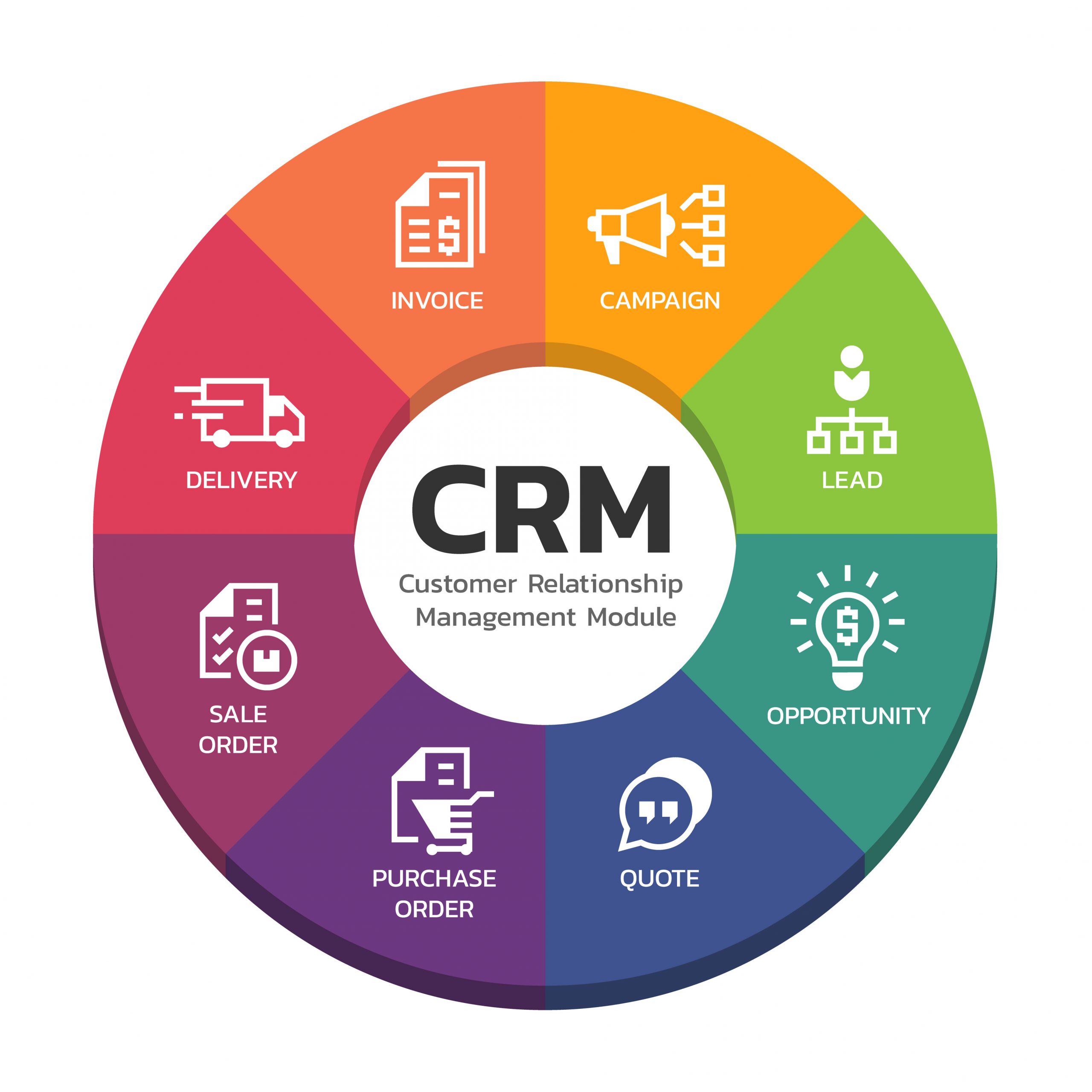
CRM software platforms offer a comprehensive set of features designed to streamline and enhance customer interactions across various business departments. These features are essential for businesses of all sizes, regardless of industry, as they provide a centralized hub for managing customer relationships and optimizing business processes.
Contact Management
Contact management is the cornerstone of any CRM system. It provides a centralized repository for storing and organizing customer information, ensuring easy access and efficient communication.
- Centralized Database: CRM platforms consolidate customer data from various sources, creating a single, unified view of each customer. This includes contact details, purchase history, communication records, and other relevant information.
- Detailed Profiles: Comprehensive customer profiles provide a holistic understanding of individual customers, allowing businesses to tailor their interactions and offers based on specific needs and preferences.
- Segmentation and Targeting: CRM systems enable businesses to segment their customer base based on various criteria, such as demographics, purchase behavior, or engagement levels. This allows for targeted marketing campaigns and personalized communications.
Sales Automation
Sales automation features streamline sales processes, improve efficiency, and enhance productivity.
- Lead Management: CRM platforms provide tools for managing leads, tracking their progress through the sales funnel, and assigning them to specific sales representatives.
- Opportunity Tracking: CRM systems allow businesses to track sales opportunities, monitor their progress, and forecast potential revenue. This helps sales teams prioritize leads and close deals more effectively.
- Sales Forecasting: By analyzing historical data and current trends, CRM platforms can generate accurate sales forecasts, enabling businesses to make informed decisions about resource allocation and future planning.
Marketing Automation
Marketing automation features simplify and optimize marketing campaigns, allowing businesses to reach their target audience more effectively.
- Email Marketing: CRM systems offer tools for creating and sending personalized email campaigns, automating follow-up sequences, and tracking email engagement metrics.
- Social Media Integration: CRM platforms can integrate with social media platforms, allowing businesses to monitor brand mentions, engage with customers, and run targeted social media campaigns.
- Campaign Management: CRM systems provide tools for creating and managing multi-channel marketing campaigns, tracking their performance, and analyzing campaign effectiveness.
Customer Service Features
Customer service features in CRM platforms enhance customer satisfaction by providing efficient and personalized support.
- Ticketing System: CRM systems offer a centralized ticketing system for managing customer inquiries, tracking their resolution, and ensuring timely responses.
- Live Chat: Real-time chat functionality allows businesses to provide instant support and answer customer questions directly on their website or other online platforms.
- Knowledge Base: CRM platforms can host a knowledge base of frequently asked questions (FAQs), articles, and other resources, empowering customers to find solutions independently.
Analytics, Reporting, and Integration
Advanced functionalities such as analytics, reporting, and integration enhance the value of CRM platforms by providing deeper insights and seamless integration with other business applications.
- Data Analytics: CRM systems offer powerful analytics tools that allow businesses to extract meaningful insights from customer data, identify trends, and make data-driven decisions.
- Customizable Reports: CRM platforms provide customizable reporting features, enabling businesses to generate reports tailored to specific needs, such as sales performance, customer satisfaction, or marketing campaign effectiveness.
- Integration with Other Applications: CRM platforms can integrate with other business applications, such as accounting software, marketing automation tools, and e-commerce platforms, creating a seamless workflow and eliminating data silos.
Types of CRM Software Platforms
CRM software platforms are categorized based on their deployment models, target audience, and industry focus. This classification helps businesses choose the most suitable platform based on their specific needs and resources.
Deployment Models
The deployment model refers to how the CRM software is hosted and accessed. There are three main deployment models: on-premise, cloud-based, and hybrid.
- On-premise: In this model, the CRM software is installed and maintained on the company’s own servers, within their physical location. The company has complete control over the software and data, but it requires significant upfront investment in hardware, software, and IT expertise for installation, maintenance, and security.
- Cloud-based: Also known as Software-as-a-Service (SaaS), this model delivers CRM software over the internet, hosted by a third-party provider. Users access the software through web browsers or mobile apps. This model eliminates the need for on-site infrastructure and offers scalability, flexibility, and cost-effectiveness. However, it requires an internet connection and relies on the third-party provider for security and maintenance.
- Hybrid: This model combines aspects of both on-premise and cloud-based deployments. Certain CRM functionalities might be hosted on-premise, while others are accessed through the cloud. This approach allows businesses to leverage the advantages of both models while addressing specific needs and preferences. For example, sensitive data can be stored on-premise, while other features can be accessed through the cloud.
Industry Focus
CRM platforms are often designed with specific industry needs in mind. This specialization helps businesses find platforms that cater to their unique requirements and workflows.
- Small Businesses: Platforms tailored for small businesses are typically user-friendly, affordable, and offer essential features like contact management, sales tracking, and basic reporting. They often have a focus on simplicity and ease of use, making them ideal for businesses with limited resources and technical expertise.
- Large Enterprises: Enterprise-level CRM platforms are designed to handle complex business processes, large amounts of data, and integrations with other systems. They offer advanced features such as automation, analytics, and customization options to meet the demands of large organizations. These platforms typically have a higher price tag and require more technical expertise to implement and maintain.
- Specific Industries: CRM platforms can be specialized for specific industries, such as healthcare, finance, retail, or manufacturing. These platforms incorporate industry-specific features and functionalities, such as regulatory compliance, specialized reporting, and tailored workflows. This specialization helps businesses optimize their CRM operations and address their unique industry challenges.
Advantages and Disadvantages
Each type of CRM platform has its own advantages and disadvantages.
On-premise
- Advantages:
- Complete control over data and security.
- Customization options for specific business needs.
- No reliance on third-party providers.
- Disadvantages:
- High upfront investment in hardware, software, and IT expertise.
- Limited scalability and flexibility.
- Increased maintenance and support costs.
Cloud-based
- Advantages:
- Lower upfront costs and pay-as-you-go pricing models.
- Scalability and flexibility to adapt to changing business needs.
- Easy access from anywhere with an internet connection.
- Regular updates and maintenance provided by the vendor.
- Disadvantages:
- Dependence on third-party providers for security and maintenance.
- Limited customization options compared to on-premise solutions.
- Potential for data security breaches if the provider’s systems are compromised.
- Internet connectivity is essential for access.
Hybrid
- Advantages:
- Combines the benefits of on-premise and cloud-based solutions.
- Flexibility to choose the best deployment model for specific functionalities.
- Improved security for sensitive data stored on-premise.
- Disadvantages:
- Can be more complex to implement and manage than single-deployment models.
- Requires careful planning and coordination between on-premise and cloud-based components.
CRM Platform Implementation and Integration
Implementing a CRM platform is a strategic initiative that involves a series of steps to ensure a successful transition and maximize its benefits. This process requires careful planning, execution, and ongoing maintenance to ensure the platform aligns with your business goals and provides the desired results.
Data Migration
Data migration is a crucial step in CRM implementation. It involves transferring existing customer data from legacy systems or spreadsheets into the new CRM platform. This process ensures that all relevant customer information is readily available within the CRM system, enabling comprehensive customer insights and personalized interactions.
- Data Cleansing: Before migration, it’s essential to clean and validate existing data to ensure accuracy and consistency. This involves identifying and correcting errors, removing duplicates, and standardizing data formats.
- Data Mapping: Data mapping involves defining how data fields from the old system will correspond to fields in the new CRM platform. This ensures data integrity and facilitates seamless integration.
- Data Transformation: Data transformation may be necessary to convert data formats or structures to match the requirements of the new CRM system. This ensures data compatibility and avoids errors during migration.
User Training
User training is essential for maximizing CRM adoption and ensuring users can effectively utilize the platform’s features. This involves providing comprehensive training programs that equip users with the knowledge and skills necessary to navigate the CRM system and leverage its functionalities.
- Onboarding: New user onboarding programs provide an initial introduction to the CRM platform, covering basic navigation, key features, and essential functionalities.
- Role-Based Training: Tailored training programs based on user roles and responsibilities ensure that each user receives relevant training that aligns with their specific tasks and workflows.
- Ongoing Support: Providing ongoing support through documentation, FAQs, and user forums helps users troubleshoot issues and access information as needed.
System Customization, Crm software platforms
System customization allows businesses to tailor the CRM platform to meet their unique business needs and processes. This involves configuring the CRM system to align with specific workflows, data structures, and reporting requirements.
- Workflow Automation: Automate repetitive tasks and processes within the CRM system to streamline workflows and improve efficiency.
- Custom Fields and Objects: Create custom fields and objects to capture specific data points relevant to your business, enabling more comprehensive customer profiles and analysis.
- Reporting and Dashboards: Customize reports and dashboards to visualize key metrics and gain actionable insights from your CRM data.
CRM Integration
Integrating the CRM platform with other business applications is crucial for creating a seamless and interconnected business ecosystem. This integration enables data sharing, automation, and improved efficiency across different departments and functions.
- Email Marketing: Integrating the CRM with email marketing platforms allows for targeted email campaigns based on customer data and behavior, enhancing marketing effectiveness.
- Accounting Software: Integration with accounting software facilitates streamlined billing, payment processing, and financial reporting, providing a unified view of customer transactions.
- E-commerce Platforms: Connecting the CRM to e-commerce platforms allows for personalized shopping experiences, order tracking, and customer support interactions within a single system.
Successful CRM Implementation Strategies
Successful CRM implementation requires a strategic approach that considers the specific needs and goals of the business. Here are some best practices for effective implementation:
- Define Clear Objectives: Establish clear goals and objectives for the CRM implementation, outlining the desired outcomes and key performance indicators (KPIs) to measure success.
- Engage Stakeholders: Involve key stakeholders from different departments throughout the implementation process to ensure buy-in and alignment with business objectives.
- Pilot Program: Consider conducting a pilot program with a small group of users to test the CRM platform and identify any potential issues or areas for improvement before full-scale deployment.
- Iterative Approach: Adopt an iterative approach to implementation, starting with core functionalities and gradually adding more features as users become comfortable with the platform.
- Continuous Improvement: Continuously monitor and evaluate the CRM system’s performance, identifying areas for improvement and making adjustments to optimize its effectiveness.
Final Wrap-Up
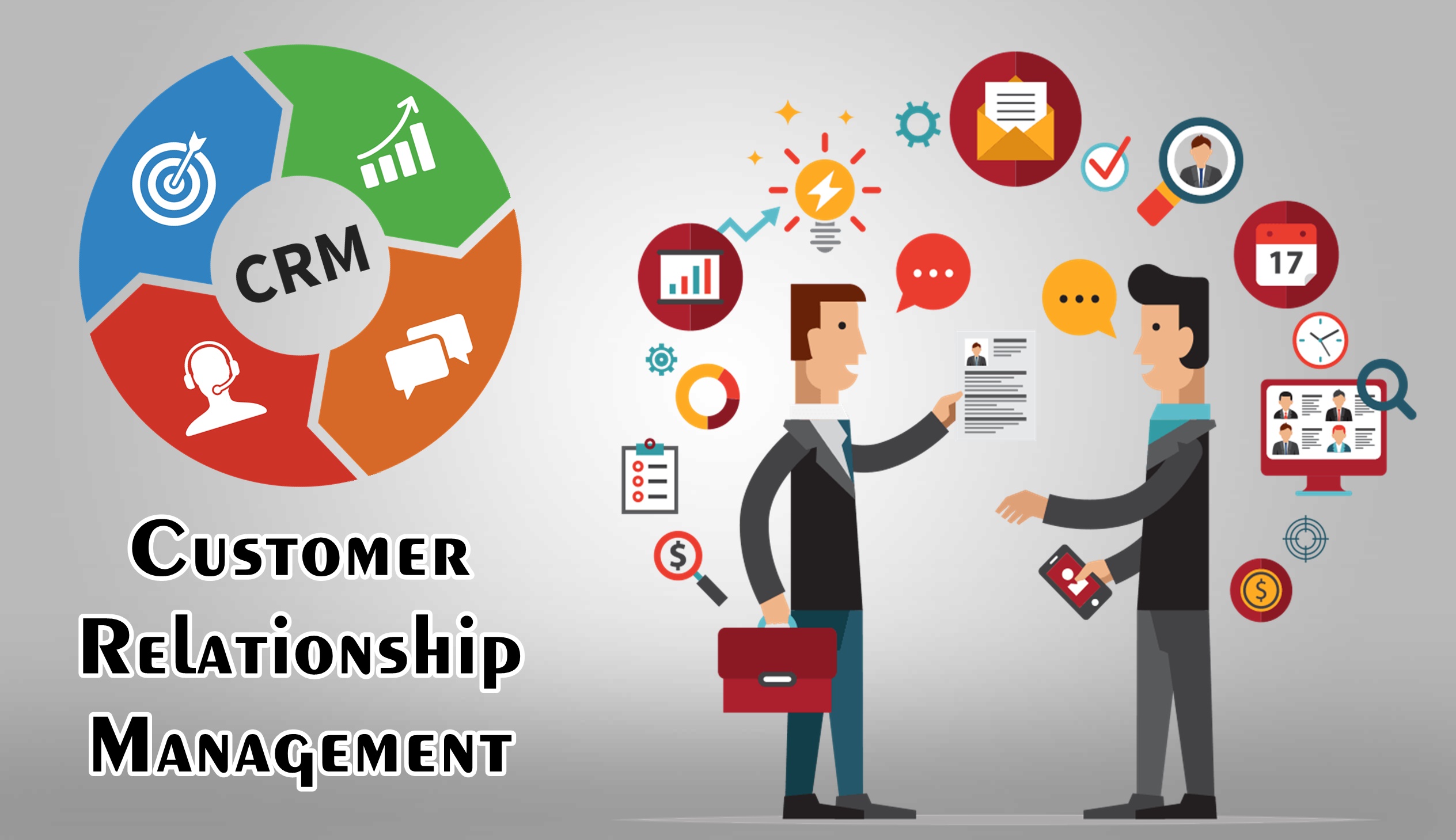
In conclusion, CRM software platforms have emerged as essential tools for businesses seeking to enhance customer engagement, optimize operations, and drive sustainable growth. By leveraging the power of data, automation, and advanced functionalities, CRM systems empower organizations to build stronger customer relationships, improve efficiency, and achieve their business objectives. As technology continues to evolve, CRM platforms will play an increasingly vital role in shaping the future of business, enabling companies to adapt to changing market dynamics and deliver exceptional customer experiences.
Detailed FAQs
What are the key benefits of using CRM software?
CRM software offers numerous benefits, including improved customer engagement, enhanced sales productivity, better marketing effectiveness, streamlined customer service, and valuable data insights for informed decision-making.
How do I choose the right CRM platform for my business?
Selecting the right CRM platform involves considering factors like your budget, business size, industry, specific needs, and integration requirements. Evaluate different platforms based on their features, functionalities, ease of use, and customer support.
What are some popular CRM software platforms?
Some popular CRM platforms include Salesforce, HubSpot, Zoho CRM, Microsoft Dynamics 365, and Pipedrive, each offering unique features and catering to different business needs.
Is CRM software suitable for small businesses?
Yes, CRM software is highly beneficial for small businesses. It helps them manage customer interactions, streamline operations, and compete effectively in today’s competitive landscape.
What are some emerging trends in CRM software?
Emerging trends in CRM include artificial intelligence, machine learning, mobile CRM, and integration with other business applications, leading to more personalized customer experiences and automated processes.